
How Can Seniors Gain Confidence Using Technology in Assisted Living?
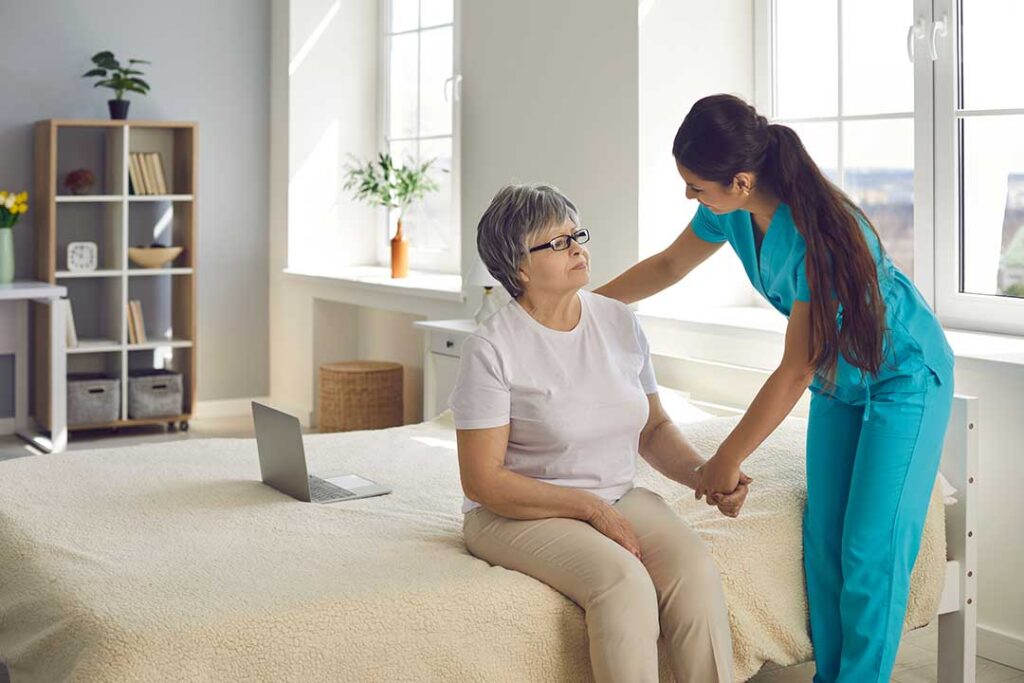
Many seniors in Jefferson Hills, PA wonder if technology will be too complicated to learn or if it’s necessary for their daily lives. It’s normal to feel hesitant, but technology can be approachable and even enjoyable with a bit of guidance. Basic tools like smartphones, tablets, and simple computers can help residents stay connected to friends, family, and community events. The key is to start slowly, ask for help from neighbors or staff, and focus on one new feature at a time.
An easy first step is exploring video calls with loved ones. Residents can use video chat apps to see and speak with friends or family anywhere, which can reduce feelings of isolation, especially during colder months when travel is harder. Staff in most assisted living environments are used to helping with these basics.
What Common Devices Are Helpful for Residents?
Most area households find tablets and smartphones easier to manage than laptops—touchscreens are more intuitive, and the hardware is lightweight. Simple e-readers can be great for enjoying books with adjustable font sizes, and voice-activated assistants can help with reminders or managing daily schedules.
Devices that often make life easier include:
- Tablets for browsing news, reading, or playing games
- Smartphones for quick calls, messaging, and emergency contact
- Smart speakers for asking questions or setting medication reminders
- Digital calendars to keep track of appointments
If eyesight or dexterity is a concern, devices with larger screens and buttons, or those with “senior mode” settings, may be easiest to use.
Are There Ways to Stay Safe While Using Tech?
To stay safe online, residents should remember a few key guidelines. Never share private information (like social security numbers or financial details) over email or text unless it’s absolutely necessary—and always check that a trusted family member is aware before doing so. If a message or call seems suspicious, it’s always okay to ask staff for advice.
Password safety is another priority. Choosing a simple, memorable password for devices and not sharing it widely is best. Writing passwords in a paper notebook can be helpful—just be sure to store this notebook in a safe, known place in the room.
Common scams can target anyone, but seniors may be approached more often. Some practical ways to stay safe include:
- Ignoring unsolicited emails or calls that ask for money or gift cards
- Checking with community staff about any suspicious correspondence
- Using in-device privacy settings to limit location-sharing
How Can Technology Help Residents Stay Connected and Informed?
Many in the community use video chats, social media, and group messaging apps to share announcements and keep everyone updated about events or schedule changes. Those not already connected might consider exploring local online community groups or digital newsletters, which are often available for city events, weather alerts, or resident announcements.
Email is especially useful for more formal communications, like health updates or activity sign-ups. Residents can also use group video calls for birthdays or special occasions with out-of-town relatives, and sharing photos is much easier now than ever before.
What Features Make Devices Senior-Friendly?
Devices designed with seniors in mind usually have features like:
- Large, clearly labeled icons
- High-contrast text settings
- Voice-activated controls for making calls or sending messages
- Adjustable sound and brightness for hearing or visibility needs
Most tablets and smartphones allow users to increase text size and adjust color contrast—options that can be found in device “accessibility” menus. For those with hearing aids, some devices sync directly for clearer calls or audio.
How to Get Technology Help in Assisted Living?
Residents can often find assistance with setup, troubleshooting, or learning new device features from staff or through regularly scheduled tech-help sessions, which some communities offer. It’s common for senior centers, libraries, or learning groups in the city to hold classes on basic computer and internet skills. Neighbors in assisted living often help one another, too, creating a supportive environment for learning.
If a device stops working, it’s usually best for safety to ask staff or a trusted friend rather than attempting repairs on your own, especially with anything electrical.
Can Technology Support Health and Independence?
Several device features promote independence, such as medication reminders, virtual health check-ins, and fall-detection apps linked to wearable gadgets. Residents may also benefit from daily checklists or meal reminders, easily set up through smartphones or tablets. Health-tracking apps can help monitor vital signs, sleep, or hydration, which can be especially useful during the varied Pennsylvania seasons.
Small tech adaptations—like amplifying sound for hearing support or using large-button remotes—can make daily life just a bit easier. The community often shares tips about how these features help maintain a sense of autonomy.
What Are Common Challenges and Comfort Tips?
Expect some initial frustration—touchscreens and new programs can feel tricky. Short practice sessions, written instructions, and repeating simple tasks are helpful when getting used to new devices. Residents find that gentle pacing and patience are important; leaning on fellow community members who are familiar with certain features adds both reassurance and encouragement.
It’s normal to forget how something works or feel overwhelmed. Keeping a cheat sheet of instructions, or jotting down steps for recurring tasks, can help. Practicing with a friend or in a group makes learning feel less daunting and more enjoyable.
What If I Have Accessibility Needs?
Many technologies have built-in features for those with low vision, hearing impairments, or arthritis. Voice controls can read text aloud, and “dictation” modes allow for speaking instead of typing. Touchscreens may recognize lighter touch for stiff fingers, and devices with large, simple controls are widely available.
If accessibility is a concern, residents may ask staff for help activating these features. Customizing devices to individual needs helps make technology more comfortable and practical for all.
